
Claude to Figma is not a Shortcut. It’s a Shift in How We Validate Design.
There was a moment, not too long ago, when people genuinely believed WordPress templates would replace designers and developers. If anyone could pick a theme, drag a few blocks into place, and publish a website in a weekend, why pay for specialists? That argument sounded convincing at the time. It also turned out to be wrong.
Today, product designers and software engineers are among the most sought-after professionals in the market. Not because tools failed. Not because automation slowed down. But because complexity increased. The more accessible creation becomes, the more valuable structured thinking and domain expertise become.
We are seeing the same conversation resurface with AI. With features like Claude Code to Figma, you can generate a working interface in code, capture it, and bring it directly into Figma as editable frames. The process feels almost magical. Prompt. Build. Capture. Refine. For some, it looks like the beginning of the end for traditional design workflows. But it is not. The real shift is subtler and more interesting. AI is not replacing designers. It is exposing who actually understands design.
The Illusion of Creation
It is now possible to generate a landing page in minutes. You can ask an AI to produce a hero section, testimonials, pricing tables, even interaction states. You can then import the result into Figma and polish a few details.
From the outside, that can look like productivity. From the inside, it is often surface-level output. AI can generate structure. It cannot define positioning. AI can produce UI states. It cannot decide which interaction reduces friction in your specific onboarding flow. AI can assemble components. It cannot align hierarchy with business objectives.
For B2B SaaS companies, this distinction is critical. A product website is not decoration. It is a strategic asset that communicates value, builds trust, and drives conversion. If everyone can generate something “decent,” then decent becomes invisible. We are already witnessing a shift where average design is the new bad design. The baseline has moved. Standing out requires more than assembling patterns.
Where Claude to Figma Actually Matters
Inside our design team at Noco, we do not see Claude to Figma as a creative replacement. We see it as a validation accelerator.
The real bottleneck in product design is rarely the first draft. It is alignment, iteration, and structural consistency. Capturing a working interface from code and bringing it into Figma changes the speed of that loop.
Instead of rebuilding flows manually from screenshots or re-creating states pixel by pixel, we can:
- Generate or prototype a real interface in code
- Capture it into Figma as editable frames
- Lay out full flows side by side
Annotate, critique, and restructure - Decide direction before investing development time
Code is powerful for converging. You move one state at a time, refresh, and see what happened. The canvas is powerful for diverging. You see the whole system at once. You compare paths. You question assumptions. Claude to Figma connects those two modes. That connection is not about novelty. It is about reducing friction between thinking and building.
Design Systems, States, and the Unromantic Work
There is a part of design that is creative and expressive. There is another part that is technical, systematic, and repetitive.
Button states are not a creative breakthrough. They are a requirement. Hover, active, focus, disabled, loading. They must exist. They must be consistent. They must scale across themes and breakpoints.
This is where AI is genuinely useful.
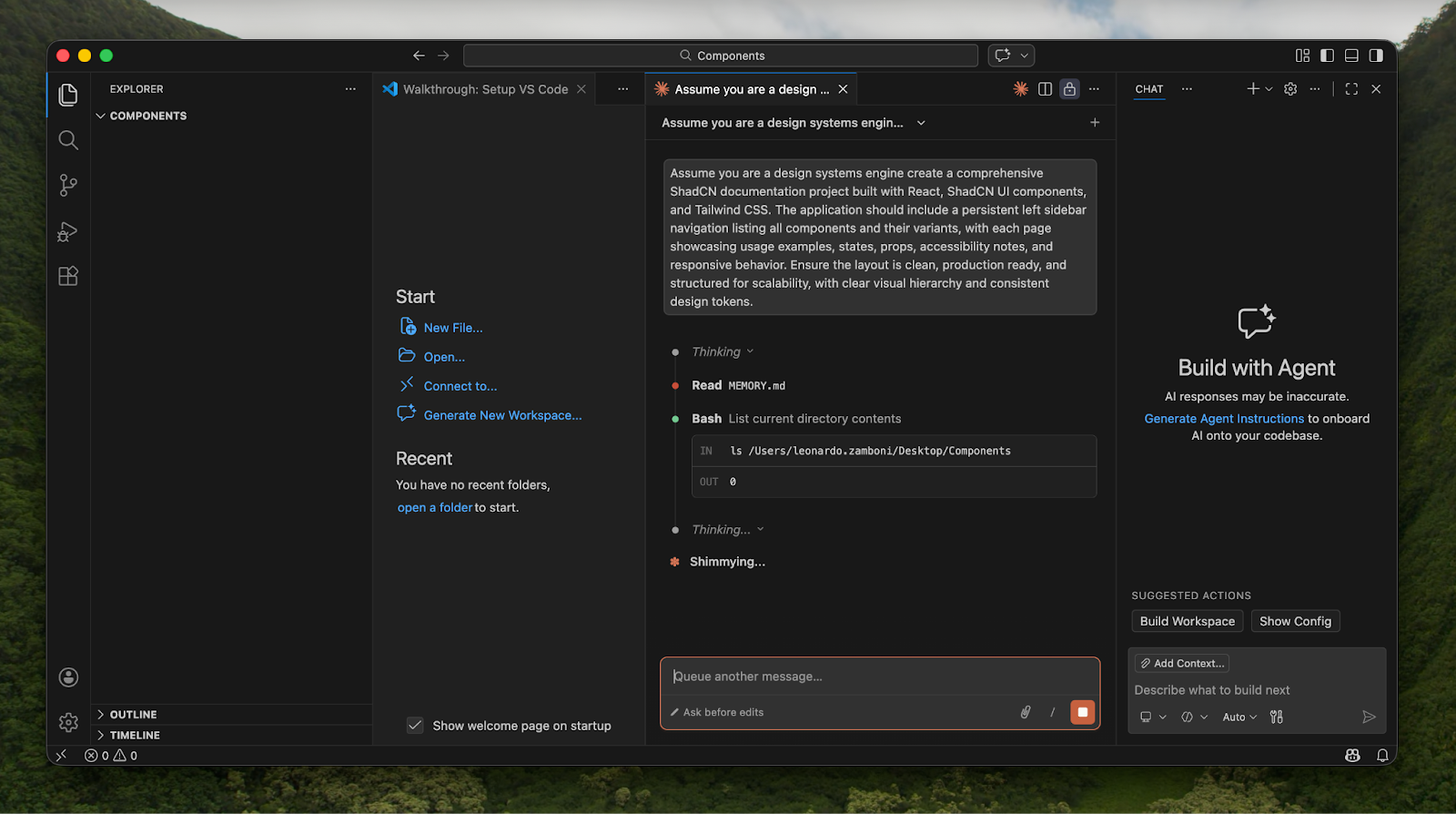
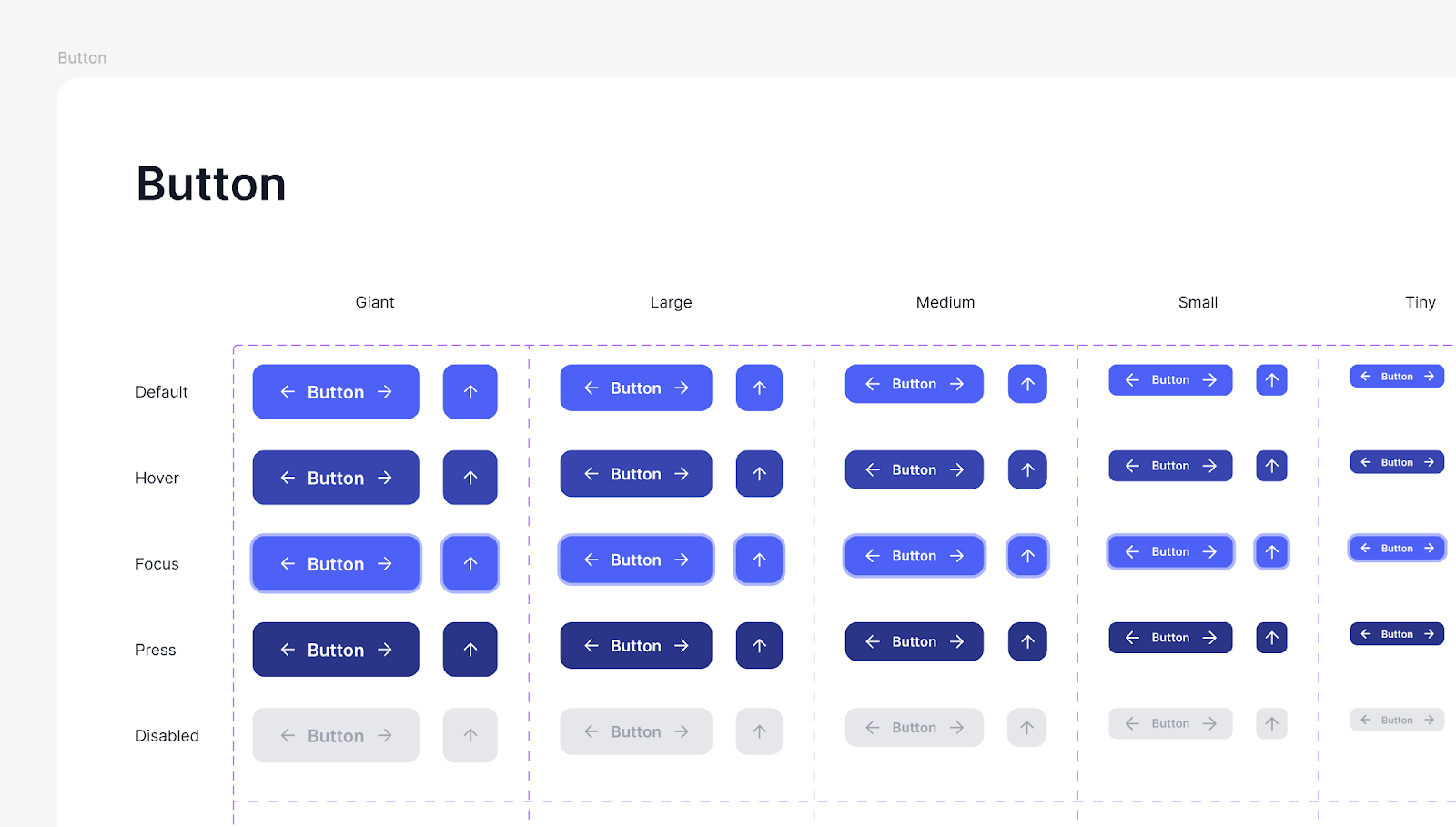
Instead of manually constructing every variation from scratch, you can prompt Claude to generate a complete set of structured states in code, capture them into Figma, and then refine them to match your brand system. The creative direction remains human. The mechanical repetition becomes automated.
The same applies to early-stage design system setup. Variables in Figma, token structures, consistent spacing scales. These are foundational elements that take time to establish correctly. AI can help draft the baseline structure. Designers then apply semantic naming, hierarchy, and long-term scalability thinking.
The difference is not who draws the rectangle. The difference is who defines the system.
The Risk of Being AI-Guided Instead of AI-Supported
There is a subtle but important distinction between using AI as a tool and being guided by AI. If a designer simply accepts whatever the model generates and adjusts colors or spacing, the designer becomes interchangeable with the model. In that scenario, the market will naturally compress that role. If, however, AI is used to compress production time while human expertise defines direction, clarity, and system logic, then the designer’s value increases.
In B2B SaaS environments, this matters even more. These products often involve complex user journeys, multi-role dashboards, and long sales cycles. The interface is not a static artifact. It is an evolving system that must support growth.
AI can accelerate iteration. It cannot understand the long-term strategic implications of your roadmap.
Riding the Wave Instead of Fighting It
It is easy to be overwhelmed by AI. It is just as easy to dismiss it. Both reactions miss the point. Tools will continue to improve. Generation will continue to get faster. The barrier to creating something that looks acceptable will continue to fall. What will not disappear is the need for structured thinking, clarity of value, and scalable systems. In fact, those needs will intensify.
At Noco, we use tools like Claude to Figma to shorten validation cycles and reduce unnecessary production time. We do not use them to skip thinking. We use them to think faster and test smarter.
For B2B SaaS founders, CMOs, and product teams, the real opportunity is not replacing designers with AI. It is equipping experienced designers with better leverage. AI makes it easier to build the first version. Expertise determines which version deserves to scale.
The wave is here. The question is not whether to use it. The question is whether you are using it to amplify your thinking, or letting it replace it.
FAQs
More reads
A practical guide for B2B SaaS teams choosing between Framer and Webflow, with clear recommendations, real insights from our experts and the data you need to pick the right platform for your next stage of growth.

.png)
Picture this: A prospect asks ChatGPT about your B2B SaaS product. The AI pulls data from across the web and... finds nothing useful. Or worse, it shows outdated third-party content instead of your actual site. This happens more often than you'd think. But there’s a dead-simple fix.

The world of Webflow and web design comes with its own unique vocabulary, and understanding these terms is crucial for effective communication between designers, developers, and clients.